Take a photo
printout in
60 seconds.

Capture, edit and arrange photos on a printable sheet.
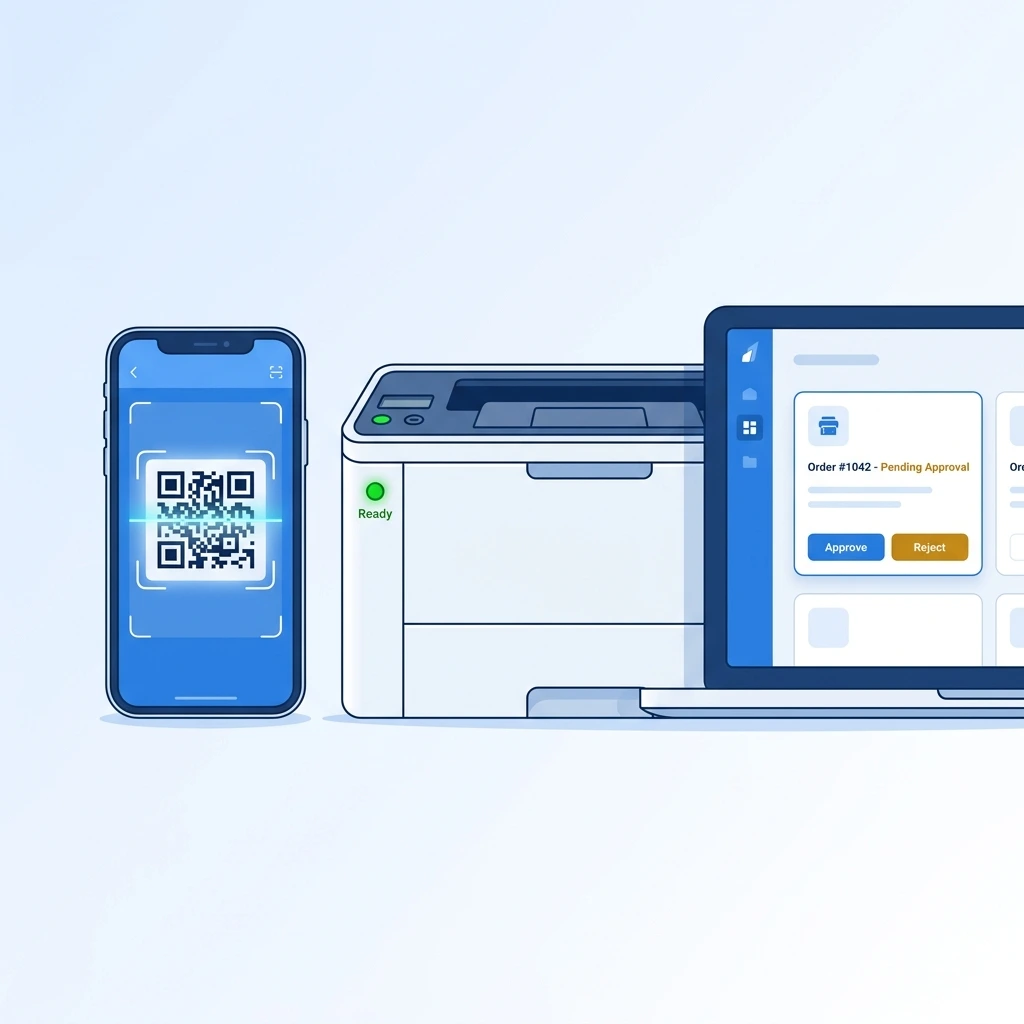
A phone, printer and order dashboard illustrating the SNP Print workflow

Documents.
Photos. All set.

Customers send files from their phones. No app or account needed.

PDF & WordSend supported files up to 100 MB.
Photos welcomeUpload pictures straight from a phone.
Make them print-readyCrop, resize, remove backgrounds and make photo sheets.
Just how they want itChoose colour, paper size, copies and sides.

From their phone
to your printer.

Customers send the file and print instructions. You approve the request. SNP Print sends it to the right printer.

  1. Scan your shop QR

    Your unique counter code opens the upload page on a customer’s phone. No app or account.

  2. Send files & settings

    They upload a PDF, Word file or image, then choose colour, paper size, copies and sides.

  3. Review & approve

    See the file and instructions together. Give the order the go-ahead when you’re ready.

  4. Print & clear

    The right printer produces the job. The uploaded file is removed after printing.

One photo.
Ready for the page.

Customers send a photo from their phone. After you approve it, Photo Studio helps prepare the background, size, crop and sheet layout before printing.

  1. Scan the shop QR

    The customer opens your shop’s photo upload page with their phone camera.

  2. Take or choose a photo

    They capture a new picture or select one from their gallery and send it to your shop.

  3. Approve it for the Studio

    You review the request. Once approved, the photo appears in your Photo Studio workspace.

  4. Remove the background

    Make a clean cutout when the photo needs a plain or transparent background.

  5. Choose size & crop

    Set the print dimensions, then crop and frame the photo to fit the chosen size.

  6. Arrange the copies

    Choose how many photos to print and place them together on a printable sheet.

  7. Start printing

    Preview the finished layout and send the sheet to the selected printer.

Your counter.
Under control.

Customer names, files and print instructions together. One calm place to run your print shop.

  • Orders arrive live with customer details.
  • Colour jobs find the colour printer.
  • Files download with their print instructions.
  • Your prices. Your final approval.

Give it a go.
Approve a sample order.

Interactive demo

One file. A clear path.

  1. Scan
  2. Upload
  3. Approve
  4. Print
Waiting for your approval.
SNP Print / your workspaceOnline
YOUR PRINT QUEUE

A good day to print.

Interactive demo
In the queue03
Printers connected02
This month842 pages
Latest ordersLIVE
PDF
Project-proposal.pdfCustomer A · #1042 · A4 · B&W · 2-sided
JPG
Weekend-memories.jpgCustomer B · #1043 · A4 grid · Colour
DOC
Resume-final.docxCustomer C · #1044 · 2 pages · B&W
B&W printer ready Colour printer ready
Go on, approve an order.

Approved jobs.
Already on their way.

Made for the everyday.

The right job.
The right printer.

Connect a dedicated B&W printer and a colour printer. Approved orders find their own way.

Your shop.
Your price per page.

Set separate B&W and colour rates. New prices apply to new orders. Offer online payments through your shop’s own payment arrangements.

A printout.
No file left behind.

Uploaded files are deleted after printing or rejection. Customers can print without an account.

From the first scan
to the final sheet.

Ten connected features make printing simpler for your customers and easier to manage at your counter.

Scan & send files

A customer scans your shop’s QR code and sends files straight from their phone. No app or account needed.

Your own business QR

Give every shop its own link and a printable A4 QR poster for the counter.

Uploads up to 100 MB

Receive PDFs, Word documents, images and other supported files in one flow.

Clear print instructions

Customers choose colour, paper size, copies, and single- or double-sided printing before they send.

One dashboard for every request

See the customer name, file and print requirements together, ready for review.

Easy downloads

Download a customer file with its print instructions included in the filename.

Order tracking

Customers follow each request’s progress and see its estimated ready time.

Photo editing tools

Crop, resize, remove backgrounds and arrange photos into printable sheets.

Three languages

Customers can use the upload flow in English, Bengali or Hindi.

Private file sharing

Each file stays connected to the intended shop and request, so orders do not get mixed up.

There’s more
under the hood.

All the practical things, for the people on both sides of your counter.

For shop owners20 practical tools+
For your customersScan. Upload. Relax.+
For photo-perfect printsYour own A4 canvas+

Big memories.
Little layouts.

Crop, resize, remove backgrounds and arrange photos on printable sheets. Try a simple A4 layout preview below.

01 / Choose a layout02 / Add your image03 / Make it yours

This demo previews layouts and rotation only. Your photo stays on your device.
JPG, PNG or WebP, up to 20 MB for the demo.

YOUR A4 PLAYGROUNDLive layout demo
210 × 297 mm / A4

Your demo photo stays in this browser. It is never uploaded.

Every feature.
Two ways to pay.

The complete SNP Print toolkit is included in both plans. Choose monthly or yearly billing.

Monthly

Pay for one month at a time.

₹99/ month

₹99 for one month

Choose Monthly
Every SNP Print feature included
  • Complete document printing workflow
  • Full Photo Studio & background removal
  • One dashboard for files, settings & orders
  • Customer support & setup help
  • 7-day money-back guarantee
See every included feature

White Label

The entire software. Your identity.

Custom quote

One-time payment · Lifetime licence

Contact us
All features, under your brand
  • Complete SNP Print software & Photo Studio
  • Your business name, logo & domain
  • Full source code included
  • Installation on your hosting
  • Lifetime licence · No renewals
Discuss white labeling

Everything your counter needs.

The same complete feature set, whichever billing period you choose.

Run your print shop

  • Live order dashboard
  • Full order details
  • One-click approve & print
  • Reject an order
  • Automatic print queue
  • B&W / colour auto-routing
  • Word document support
  • Dedicated B&W printer
  • Dedicated colour printer
  • One-click test print
  • Unique shop link & A4 QR poster
  • Instruction-ready downloads
  • Ready-time estimates
  • Three customer languages
  • Private shop routing
  • Monthly usage tracking
  • Simple printer settings
  • Automatic file cleanup
  • Online payments
  • Custom per-page prices

Make it easy for customers

  • Scan & go
  • No app or account
  • Documents, images & more
  • Up to 100 MB per upload
  • Choose your print settings
  • A unique order number
  • Status & estimated ready time
  • English, Bengali or Hindi
  • Private request routing
  • Automatic file deletion
  • Online payments

Your complete Photo Studio

  • Smart document / image mode
  • Multiple photo uploads
  • Reusable image gallery
  • One full-page image
  • Two-photo layouts
  • Four-photo & custom grids
  • Fill, fit or stretch
  • Resize, rotate & crop
  • Background removal
  • Live A4 preview
  • Colour mode & copies
✓ Customer support✓ Setup & printer configuration help✓ 7-day money-back guarantee

Monthly: ₹99 per month. Yearly: ₹999 per year. White labeling is priced separately.
Software subscriptions exclude paper, ink, printers and your customer print rates. Any applicable taxes are shown before payment.
Before payment, review our terms, refund and cancellation policy, and digital delivery policy.

Ready for a
better print day.

Install SNP Print on your Windows PC, connect your printers, and let customers send files through your own shop QR.

For Windows PCs 7-day money-back guarantee

One code for your counter.Customers upload from their phones.
  1. 01
    Install the software

    Set up SNP Print on your Windows computer.

  2. 02
    Connect your printers

    Choose your B&W and colour devices.

  3. 03
    Display your shop QR

    Print the poster and start receiving files.

Straight
answers.

Talk to the team
What is SNP Print?
SNP Print is a complete QR-code based self-service print kiosk system designed for print shops, Xerox centres, and cyber cafes. Customers scan the shop's QR code, upload their document or photos, select print options, and submit — the shop owner approves on a desktop dashboard and the file prints automatically. Choose ₹99 per month or ₹999 per year, with every feature included in both plans.
Do customers need to download an app or create an account?
No — customers simply scan the shop's QR code with their phone camera, which opens the upload page directly in their browser. There is no app to download and no account to create. Just upload the file, select print options, and submit.
What file formats are supported?
SNP Print accepts PDFs, Word documents, images and other supported files, with uploads up to 100 MB. The customer upload page shows which formats are available for a given print mode.
Is customer data safe? Are files stored on the server?
Print files are used for the active order and removed from the live print queue after printing or rejection. Some account, order, payment, support, and security records may be retained for service or legal reasons. See our Privacy Policy and Data Deletion Policy for details.
What happens if I reject an order?
The customer’s order status shows the rejection and no print is made. The uploaded file is removed from the live print queue. Limited order or transaction records may remain for support, security, or legal purposes.
Can I connect two different printers — one for B&W and one for colour?
Yes. SNP Print's B&W / Colour Auto-Routing feature lets you configure a dedicated black-and-white printer and a dedicated colour printer separately. When a customer selects B&W or colour at checkout, the order is automatically routed to the correct printer — no manual switching needed.
What's included in the 7-day money-back guarantee?
A new shop subscriber can request a full refund of the initial SNP Print software plan payment within seven calendar days of purchase. Contact support with the transaction reference. The Refund & Cancellation Policy explains later purchases, processing time, and other eligible cases.
How fast is setup for a new shop?
Setup is fast and straightforward. Install the SNP Print desktop app on your shop's computer, configure your printer(s) using the simple dropdown settings, and print your shop's QR code poster to place at the counter. Most shops are fully operational within minutes of subscribing.
Can customers print photos, not just documents?
Yes. The application can crop, resize, remove backgrounds and arrange photos on printable sheets. The homepage demo is a smaller local preview for layouts and rotation.
What is the difference between Monthly and Yearly?
Monthly costs ₹99 per month and Yearly costs ₹999 per year. Both include the same complete set of printing, dashboard and Photo Studio features. The only difference is the billing period. Yearly saves ₹189 compared with 12 monthly payments. White labeling is available separately on a custom quote.
Does SNP Print support online payments?
SNP Print software plans can be paid through M/S AI Luxeo’s Razorpay account. A participating shop may offer online payment for its own print jobs under that shop’s separate payment arrangements.
Can I set my own price per page?
Absolutely. You can set custom pricing per page separately for black & white and colour prints, directly inside the software. Rates are quick and easy to update anytime, and changes apply instantly to new customer orders. This is available on both plans.
Can customers choose paper size and double-sided printing?
Yes. Before submitting, customers can choose colour, paper size, copies and single- or double-sided printing, along with other available print settings.
How do customers track an order?
They can follow the request’s status and see its estimated ready time in the customer flow. The ready time is an estimate and can change as the shop processes the job.
Which languages can customers use?
The customer upload flow supports English, Bengali and Hindi.
How are files kept with the right shop?
Each uploaded file is associated with the intended shop and request so the shop can review the correct file and instructions. See the Privacy Policy for how order information is handled.

Make room
for more.

Less time moving files around. More time serving the people at your counter.

For Windows PCs 7-day money-back guarantee
  1. 01
    ScanYour customer opens your shop QR.
  2. 02
    UploadThe file and print details arrive together.
  3. 03
    ApproveYou stay in control of every request.
  4. 04
    PrintThe right printer gets the job.
YOUR COUNTER, CONNECTED